Behind the Scenes: The Making of the Maria Theresa Film
This page takes you behind the scenes of the creation of our short film about Maria Theresa and her legendary stay with Baron Trenk in the historic wine cellars of Kutjevo.
The film was created using a combination of cutting-edge AI technologies and professional creative tools. Video sequences were generated with Google Flow powered by the Veo 3 model, while concept images were created using Nano Banana Pro and further refined in Adobe Photoshop. The final editing, pacing, sound, and post-production were completed in Adobe Premiere Pro.
By combining artificial intelligence with traditional creative workflows, we transformed a historical legend into a cinematic visual story, demonstrating how modern technology can bring the past to life in an engaging and innovative way.
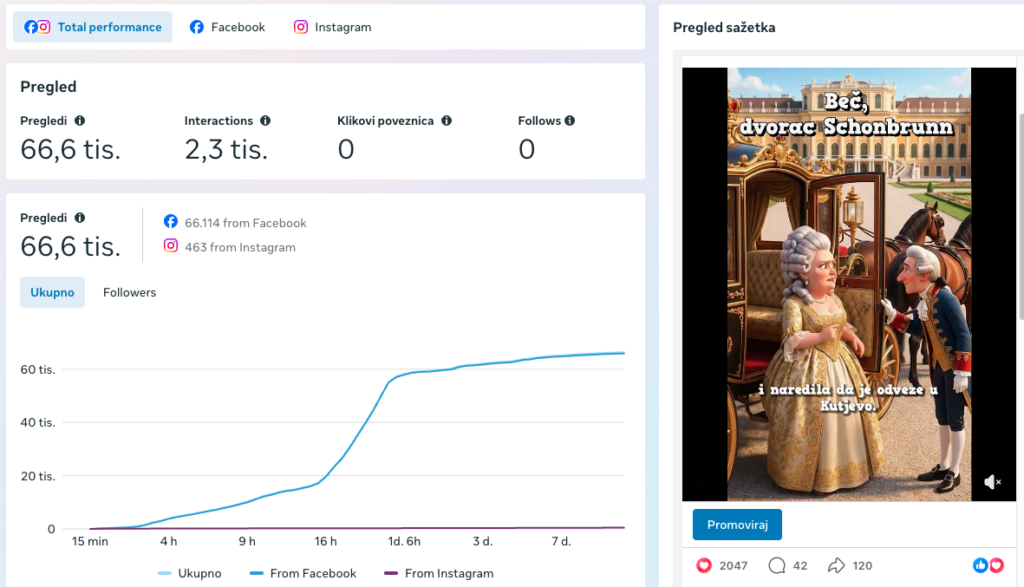
The first step is to define the visual style and creative direction of the project. This involves exploring different artistic approaches and generating character designs, environments, and key scenes until the desired look and atmosphere are achieved. These carefully selected images then serve as visual references throughout the production process, ensuring consistency in prompts, character appearance, locations, and the overall cinematic style. All reference images are created in the same aspect ratio as the final video to ensure proper composition, framing, and visual consistency throughout the production process.
PROMPT (GOOGLE FLOW, NANO BANANA PRO):
Maria Theresa in her palace within the Habsburg Monarchy. She is the only character visible in the scene. Create a humorous 3D animated scene in a stylized Pixar/DreamWorks-inspired cartoon style. The scene features one or more animated characters with expressive facial features, exaggerated cartoon proportions, and strong personality-driven body language. Characters should be visually appealing, family-friendly, highly expressive, and capable of conveying humor through facial expressions, gestures, posture, and interaction. Focus on cinematic storytelling, expressive character acting, and visual comedy. Emphasize emotional reactions, natural movement, engaging poses, and humorous interactions between characters when applicable. Ultra-detailed 3D rendering, professional animated feature film quality, cinematic lighting, realistic reflections, highly detailed textures, subtle depth of field, vibrant colors, sharp focus, polished materials, realistic shading, dynamic composition, comedy movie aesthetic, high-end character animation, expressive facial acting, perfect framing, visually rich environment, 4K quality. Pixar-quality character design, DreamWorks-style humor, cinematic camera work, professional animation studio production value, clean visual storytelling, appealing cartoon realism, memorable character expressions, and a fun, lighthearted atmosphere.
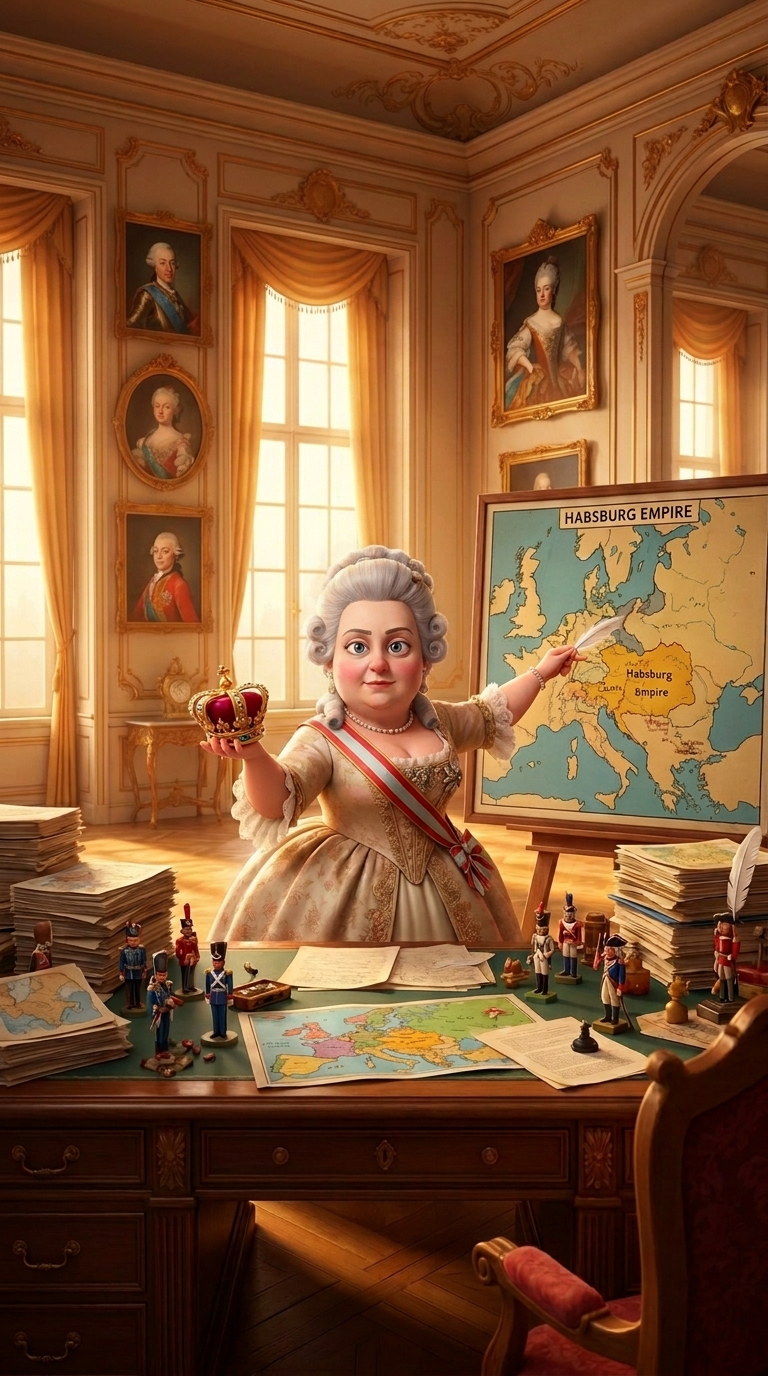
Next, we isolate Maria Theresa‘s character so she can be consistently reused across different scenes, environments, and situations throughout the film. Her character image serves as a visual reference, ensuring consistency in appearance, interactions with other characters, locations, and interiors. When needed, we further refine the images in Adobe Photoshop or Nano Banana Pro, preserving the visual identity and maintaining a seamless, cinematic look throughout the entire production.
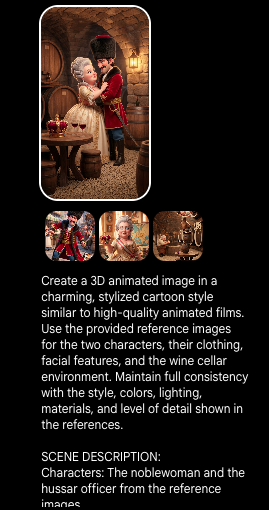
To generate scenes like these, we use a combination of three reference images: one for Maria Theresa, one for Baron Trenk, and one for the historic Kutjevo wine cellar. By combining these references, the AI is able to produce visually consistent scenes while preserving the appearance of the characters and the authenticity of the environment.
PROMPT:
Create a 3D animated image in a charming, stylized cartoon style similar to high-quality animated films. Use the provided reference images for the two characters, their clothing, facial features, and the wine cellar environment. Maintain full consistency with the style, colors, lighting, materials, and level of detail shown in the references. SCENE DESCRIPTION: Characters: The noblewoman and the hussar officer from the reference images. Pose and interaction: The two characters are in a loving embrace, looking deeply into each other’s eyes with warm, affectionate expressions. Setting: A cozy wine cellar, alone in the cellar. Environment details: Stone arched ceiling and walls, large wooden wine barrels lined along the sides, warm lantern light on the wall, small gravel floor. Foreground props: A small round wooden table in front of them with two glasses of red wine and a royal crown placed on top. Around the table are small wooden stools or barrels. Atmosphere and mood: Romantic, intimate, warm, and timeless. Lighting: Warm, soft lantern light with gentle shadows, creating a cozy and cinematic atmosphere. Camera framing: Full body shot of both characters and the environment. Style and rendering: 3D animated, stylized cartoon with smooth shapes, detailed textures, rich colors, and soft shading — matching exactly the style of the reference images. Color palette: Warm and rich tones (browns, golds, deep reds, creams). Composition: Center the couple in the frame with the wine cellar environment clearly visible around them. IMPORTANT NOTES: Use the reference images for the characters, costumes, and wine cellar environment. Do not add any other characters or modern objects. No text, no signs, no watermarks, no logos. Keep the look consistent with the provided references in every detail. The final image must look like a professionally rendered still from a 3D animated film.
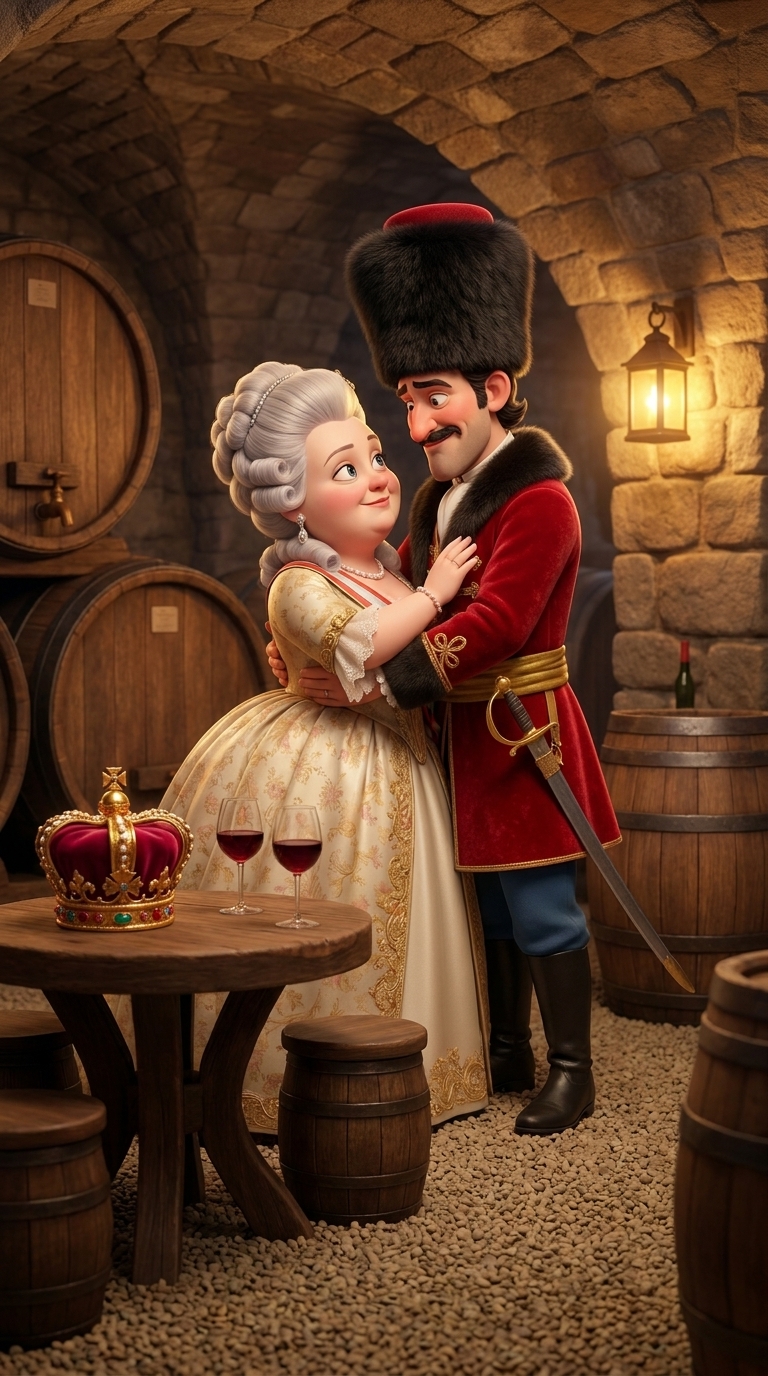
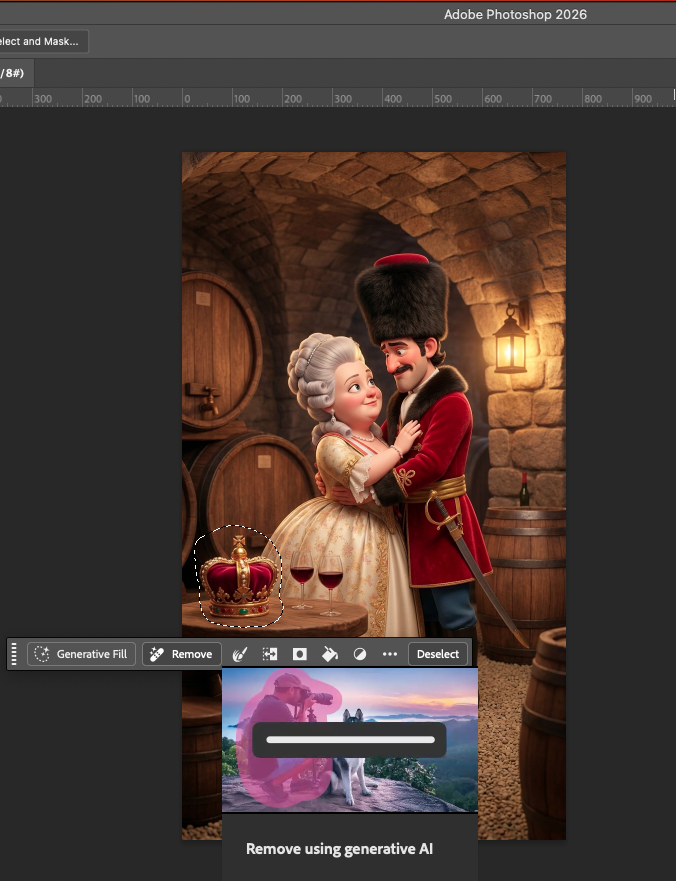
If we want to modify certain elements of the image, we can easily edit them in Adobe Photoshop using the “Remove” tool. For example, we can seamlessly remove the crown from the table, allowing us to adapt the scene to the specific needs of the project while maintaining a natural and consistent look.
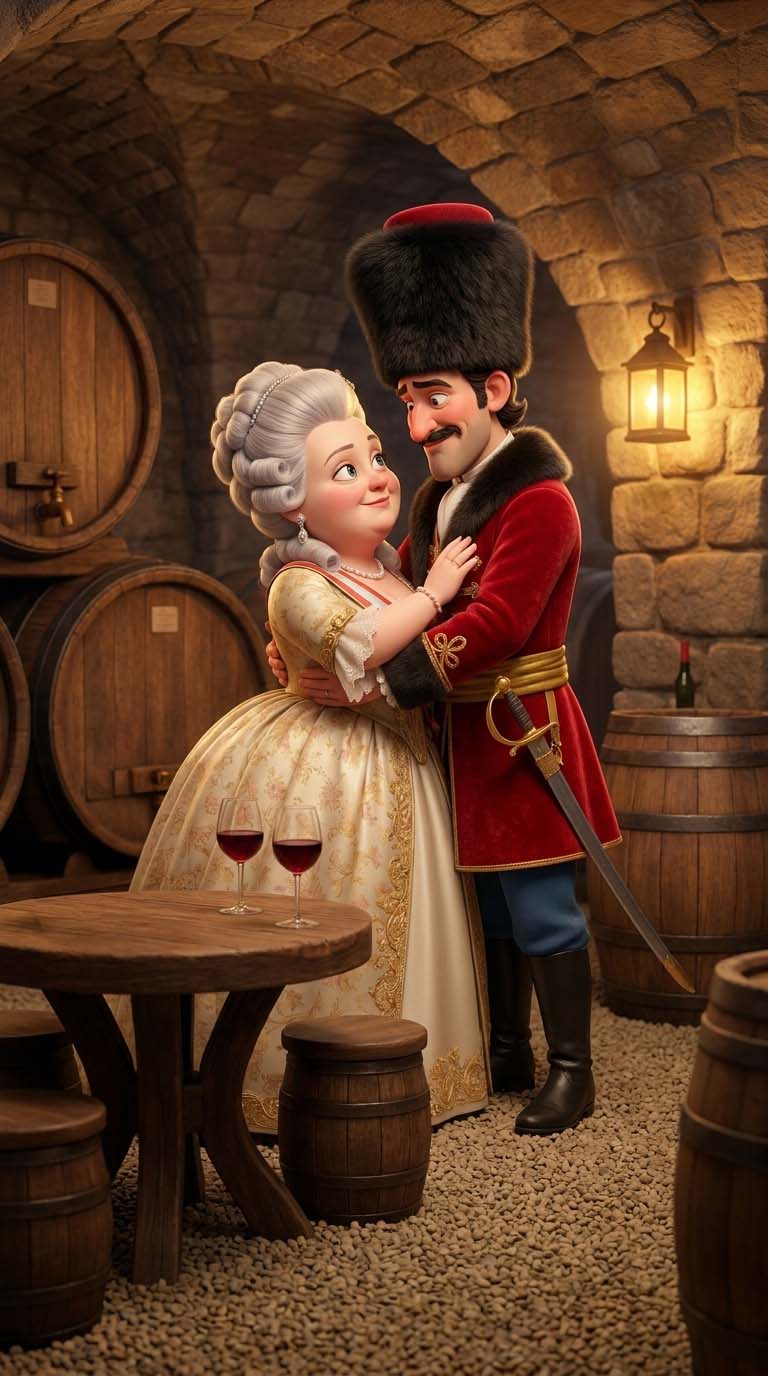
Once we’re satisfied with the image, it becomes the starting frame for the video generation process. To ensure visual consistency and keep the scene from drifting in an unintended direction, we provide both a starting frame and an ending frame alongside the prompt. The ending frame can either be identical to the starting frame or slightly different, depending on the type of movement, transition, or storytelling effect we want to achieve. This approach helps the AI maintain consistent characters, composition, and overall visual quality throughout the generated sequence.
PROMPT (GOOGLE FLOW, VEO 3.1 LITE)
High-quality 3D animated scene in the same style as the provided reference images. Use the reference images for the woman, the man, and the historic wine cellar to maintain complete visual consistency. The man and the woman are standing alone in a historic stone wine cellar, embracing each other lovingly while looking deeply into each other’s eyes with warm, affectionate smiles. A small round wooden table stands beside them with a royal crown and two glasses of red wine. The cellar is illuminated by warm lantern light, featuring large wooden barrels, stone arches, rich textures, and a cozy atmosphere. Keep the camera completely static and stable at eye level with a medium full-body shot. No camera shake, no zoom, no panning, and no cuts. Rich cinematic colors, soft warm lighting, detailed textures, shallow depth of field, premium animated feature film quality. No music. The woman speaks in natural English with perfect lip synchronization: “Finally together, Baron Trenk.” After a brief pause, the man smiles warmly and replies in natural English: “Yes, my dear Empress.” Both voices should sound natural, emotional, and historically elegant with accurate lip synchronization.
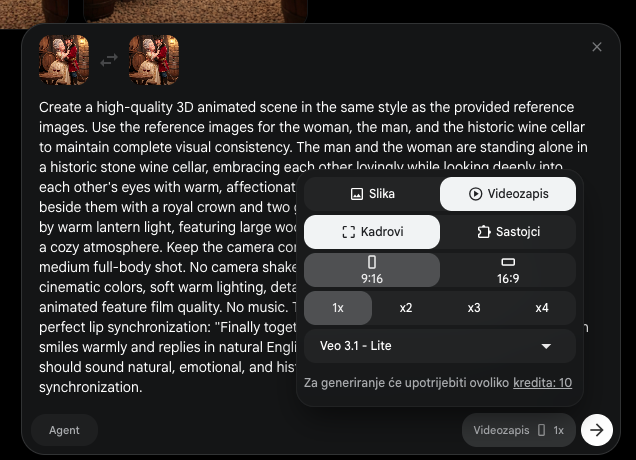
Once we achieve the desired result, often after several iterations and refinements, we generate a video clip of around 8 seconds or more, depending on the AI model and platform being used. We then repeat this process for each scene, gradually building every sequence needed to bring the entire film to life.
The final step is bringing all the generated scenes together into a complete film. For this, I primarily use Adobe Premiere Pro, although other editing software such as CapCut can also be used. However, Premiere Pro offers far greater creative freedom, advanced editing capabilities, and a wide range of professional tools for achieving a polished cinematic result.
One technique I particularly enjoy is enhancing videos with high-quality visual effect templates. Adobe Stock has proven to be an excellent source of professionally designed templates that add extra depth, style, and production value to the final video.
I also make sure every video includes subtitles to improve accessibility and viewer engagement. For this project, I added a Croatian voice-over narration generated with ElevenLabs, an outstanding AI tool for creating natural, high-quality speech.
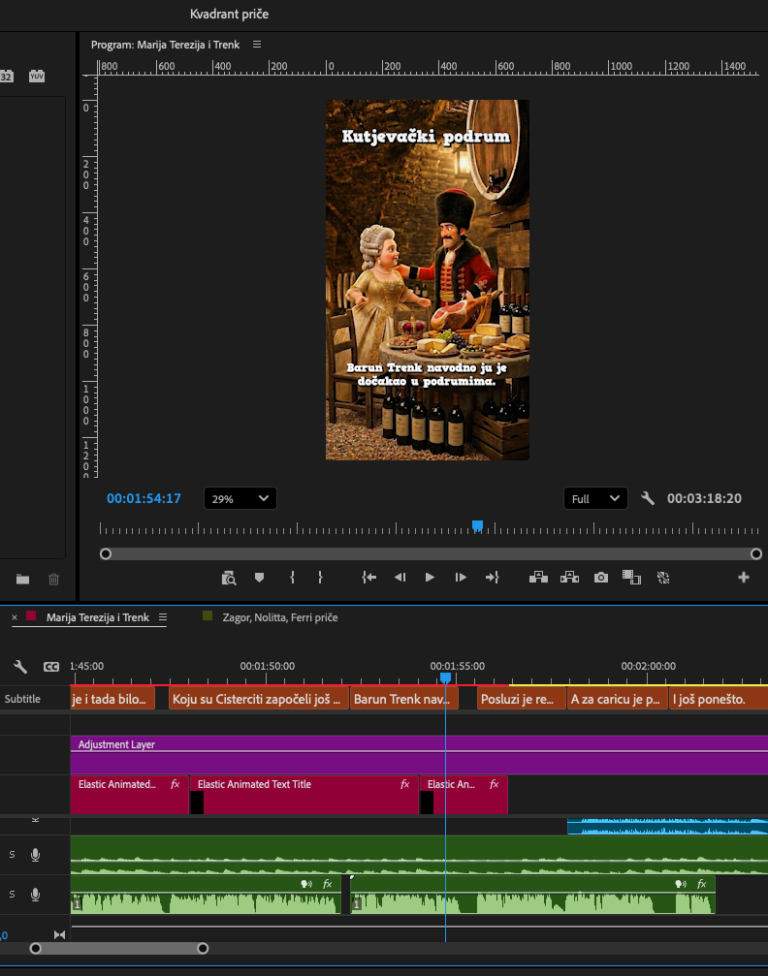
Below, you can watch an excerpt from the finished film. The complete video is too large to embed on this page, so I’ve included a short section that showcases the final result.
Enjoy watching, and I’d love to hear your thoughts!
contact us
Have questions? We’re always ready to discuss your business, new projects, creative opportunities, and how we can help you achieve your goals.
Kvadrant, obrt za promidžbu,
owner Danijel Hegediš
email: danijelhegedis@kvadrant.eu
mob: +385 99 363 8496